

Syncthing exclude node_modules on Mac is a sensible search because Syncthing is excellent at peer-to-peer file sync, but a raw developer project can feed it the worst possible workload: tens of thousands of tiny generated dependency files that change while your editor, package manager, and dev server are still running.
Syncthing exclude node_modules on Mac: the safe pattern
For a typical Mac project folder shared with Syncthing, start by creating a .stignore file at the root of the Syncthing folder. If the shared folder is ~/Developer, the file belongs at ~/Developer/.stignore. If the shared folder is one project, put it at ~/Developer/my-app/.stignore.
**/node_modules
**/.next
**/.nuxt
**/dist
**/build
**/coverage
**/.turbo
**/.vite
**/.cache
**/.DS_Store
Those patterns tell Syncthing to skip dependency folders and common build output anywhere inside the shared folder. The **/ prefix is useful for monorepos because the noisy folder may live at apps/web/node_modules, packages/ui/node_modules, or several levels below the root. A root-only pattern is easy to miss in a workspace layout.
The important rule is simple: exclude folders that your tools can recreate from source files and lockfiles. Keep package.json, package-lock.json, pnpm-lock.yaml, yarn.lock, source code, docs, migrations, configs, and assets. Skip node_modules, framework caches, generated bundles, test coverage, and temporary output.
Why Syncthing and node_modules fight each other
Syncthing watches the filesystem, scans changes, indexes metadata, transfers blocks, and reconciles versions with other devices. That model works well for source files because source files are relatively few, stable, and meaningful. A developer changes src/routes.ts, Syncthing sees one file, another Mac receives one file, and the state is easy to reason about.
node_modules is the opposite. An install can create or rewrite thousands of files: package manifests, compiled helpers, nested dependencies, binaries, TypeScript declarations, source maps, postinstall output, and package-manager metadata. Some packages also touch files after installation. A bundler or test watcher may write caches at the same time. Syncthing can spend more effort discovering and reconciling the dependency tree than syncing the code you actually wrote.
On macOS there is more background work around the same tree. Spotlight may inspect new files. endpoint security tools may scan them. Finder metadata may update. If the Syncthing folder is also inside iCloud Drive, Dropbox, Google Drive, or OneDrive, you have stacked two sync systems on top of the same generated files. That is how a clean project turns into a fan-spinning sync storm.
Build a real .stignore for JavaScript projects
The minimal node_modules rule helps, but most JavaScript projects create several disposable directories. A practical .stignore for a Node, React, Vue, Svelte, or Next.js workspace usually looks more like this:
// Dependencies
**/node_modules
**/.pnpm-store
**/.yarn/cache
**/.npm

// Framework and bundler output
**/.next
**/.nuxt
**/.svelte-kit
**/dist
**/build
**/out
**/coverage
**/.turbo
**/.vite
**/.parcel-cache

// Editor and OS noise
**/.DS_Store
**/.idea/workspace.xml
**/.vscode/.ropeproject
Keep the list boring and explicit. Avoid ignoring broad names like cache without thinking, because some projects intentionally contain source directories with common names. For monorepos, test with one device pair before applying the same ignore file everywhere. You want to remove generated churn, not silently omit a folder your team actually edits.
Be deliberate with .git. Excluding .git is reasonable if GitHub, GitLab, or a private remote is the source of truth and Syncthing is only moving a working copy. Including .git can preserve local branches and unpushed commits, but it also means Git internals are part of the sync set. If two Macs modify the same repository at the same time, syncing the Git database directly can create confusing conflicts. For most developers, the safer workflow is: use Git for history, use Syncthing for selected working files, and avoid editing the same working tree concurrently on two machines.

Fix 1: keep active projects out of stacked cloud sync
Syncthing can share folders between Macs without a central cloud service. That does not mean it should run inside another provider’s watched folder. If your project lives in ~/Library/Mobile Documents/com~apple~CloudDocs, ~/Dropbox, ~/Library/CloudStorage/GoogleDrive-..., or ~/Library/CloudStorage/OneDrive-..., you are asking multiple sync engines to interpret the same file churn.
Move active work to a local workspace first:
mkdir -p ~/Developer
mv ~/Library/Mobile\ Documents/com~apple~CloudDocs/Projects/my-app ~/Developer/my-app
Then point Syncthing at the local folder or at a parent folder with clear ignores. If you still want a cloud copy, create a filtered mirror into the cloud folder instead of editing directly inside it. This separates the hot development loop from backup and transfer tools.
Fix 2: rescan after changing ignore rules
After editing .stignore, use Syncthing’s web UI to rescan the folder. Do this on each device that shares the folder, because ignore files are part of the folder content but each device still needs to apply the new rules locally. Watch the folder status after the scan. The goal is not just “green”; the goal is a smaller, calmer sync set.
If node_modules had already synced to another Mac before you added the rule, you may need to remove the copied dependency folders manually on the other side. Ignoring a path prevents future sync activity for that path; it is not always the same as a cleanup command for files that already exist on every device. Be careful with delete operations. Confirm the path before running anything broad:
find ~/Developer/my-app -name node_modules -type d -pruneThen delete only the dependency tree you can recreate:
rm -rf ~/Developer/my-app/node_modules
cd ~/Developer/my-app
npm ci
If you use pnpm or Yarn, replace the install command with the lockfile-respecting version for your project.
Fix 3: sync source, not the live worktree
For small projects, sharing the working folder directly can be fine. For a busy monorepo, a cleaner pattern is to keep the active worktree local and sync a filtered copy. That copy can be created with rsync, a launchd job, or a developer-aware GUI.
rsync -av --delete \
  --exclude 'node_modules/' \
  --exclude '.git/' \
  --exclude '.next/' \
  --exclude 'dist/' \
  --exclude 'build/' \
  --exclude 'coverage/' \
  ~/Developer/my-app/ ~/Syncthing/CodeBackups/my-app/
Run a dry run first whenever you change paths or exclusions:
rsync -avn --delete \
  --exclude 'node_modules/' \
  --exclude '.git/' \
  --exclude '.next/' \
  ~/Developer/my-app/ ~/Syncthing/CodeBackups/my-app/
This gives Syncthing a stable destination to move between devices. It no longer has to observe every file created during npm install or every cache update from your dev server. The downside is that you now own a copy step, so make it visible and test it before relying on it.
Fix 4: use Lsyncer for recurring filtered Mac sync
If you like Syncthing for peer-to-peer device sync, keep using it where it fits. The awkward part for Mac developers is often the step before Syncthing: building a clean folder that is safe to sync. You can do that with scripts, but scripts become another small system to maintain once you have several projects, different destinations, schedules, logs, and exclusion sets.
Lsyncer is built for that local Mac layer. It syncs folders with developer defaults such as node_modules, .git, virtual environments, build output, and caches excluded from the copy. You choose the source and destination, keep the rules visible, and use schedules when you want the backup to run without remembering a command.
That makes it a good companion when the destination is another local folder, external drive, NAS-mounted folder, or a cloud/sync-provider folder that should receive a cleaned-up project copy. It is not a replacement for Git history or for every Syncthing topology. It is a way to stop generated files from entering those systems in the first place. Lsyncer is a one-time $19.99 Mac App Store purchase, so the decision is closer to buying a small dev utility than adding another subscription.
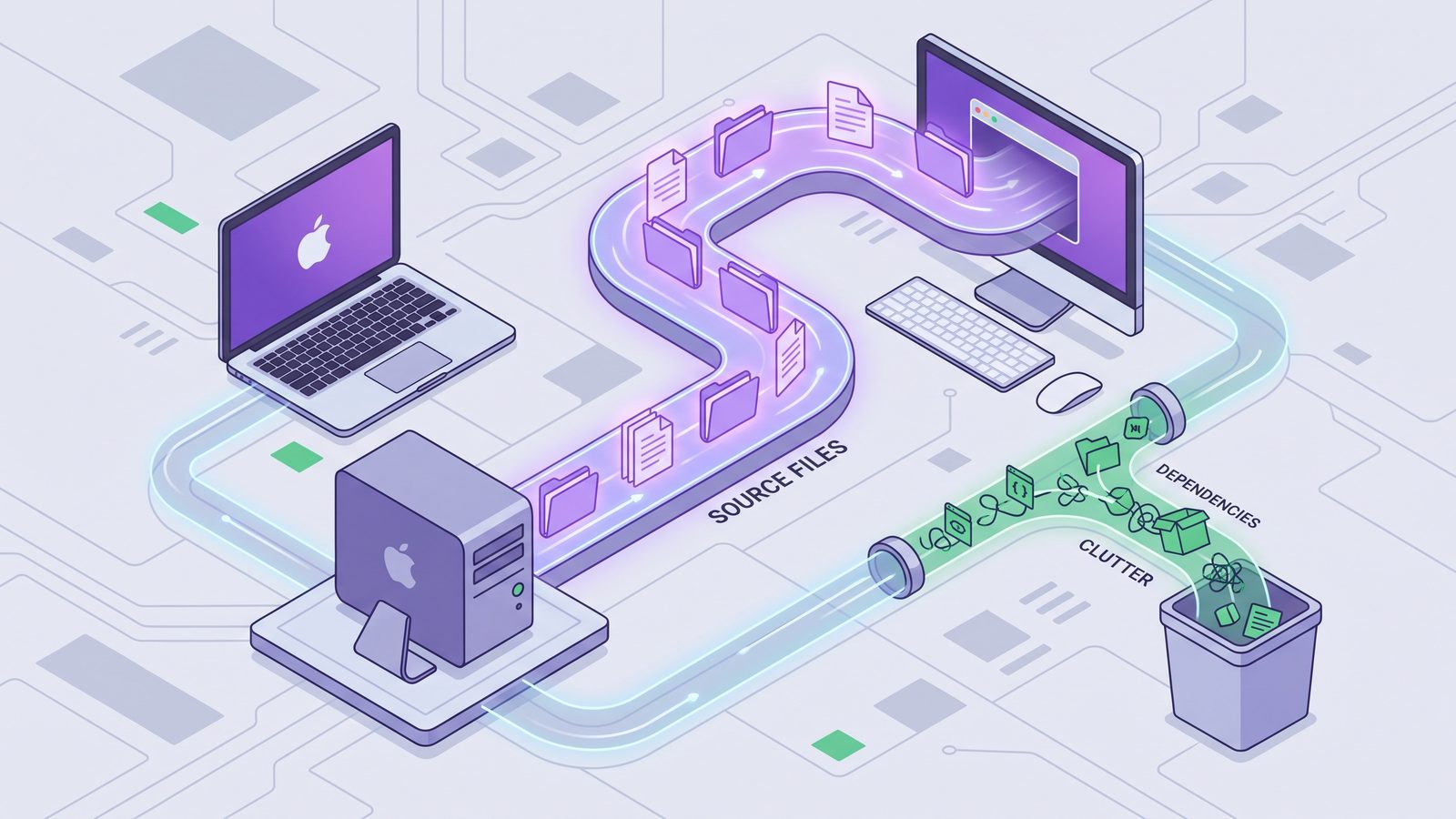
Best practices for Syncthing and Mac developer folders
- Keep active projects local. Use
~/Developeror~/Coderather than editing inside iCloud Drive or another cloud provider’s folder. - Commit the project recipe, not installed dependencies. Sync source and lockfiles; rebuild
node_modulesper Mac. - Use one
.stignoreper shared folder. Put rules where Syncthing will actually read them, then rescan. - Do not edit the same working tree on two devices at once. Syncthing can reconcile files, but source control should handle collaboration and history.
- Make exclusions visible. Whether you use
.stignore,rsync --exclude, or Lsyncer, the ignored folders should be easy to audit. - Verify with a small project first. A monorepo is a bad place to discover that an ignore pattern was too broad or too narrow.
Related reading
- Rsync exclude
node_moduleson Mac — the command-line version of filtering generated dependency trees from backups. - Dropbox stuck syncing
node_modules— why cloud sync queues struggle with dependency folders and how to avoid it. - Syncthing folder out of sync on Mac — diagnose failed items, ignore-rule mismatches, and generated-folder churn.
- File sync for Mac developers — a broader framework for deciding which project files belong in sync.
- Sync files between two Macs — a practical workflow for keeping two Mac development environments aligned without syncing generated files.
FAQ
Should I sync node_modules with Syncthing?
Usually no. Sync package.json and the lockfile, then reinstall dependencies on each Mac. node_modules is large, file-heavy, and normally reproducible.
Where does .stignore go on macOS?
Put .stignore at the root of the folder Syncthing is sharing. If Syncthing shares ~/Developer, use ~/Developer/.stignore. If it shares one project folder, use that project’s root.
Do Syncthing ignore rules delete existing ignored files?
Treat ignore rules as a way to prevent future syncing, not as a cleanup guarantee. If dependency folders already exist on another Mac, inspect and remove them deliberately, then reinstall locally if needed.
Is it safe to sync Git repositories with Syncthing?
It can work for a single-user workflow when only one device edits at a time, but Git remotes are safer for history and collaboration. Be cautious about syncing .git directly between active working trees.
What should Mac developers exclude besides node_modules?
Common exclusions include .next, .nuxt, dist, build, coverage, .turbo, .vite, Python .venv, Ruby vendor/bundle, Rust target, and macOS .DS_Store.